...The tutorials and forums about UEd mapping were what taught me the most about using the editor. This is my way of giving back.

If any of the information presented is incorrect, please do contact me at vincennes999@yahoo.com and I will correct it. Please put 'tutorial correction' or something similar in the subject line so I know it's not spam.


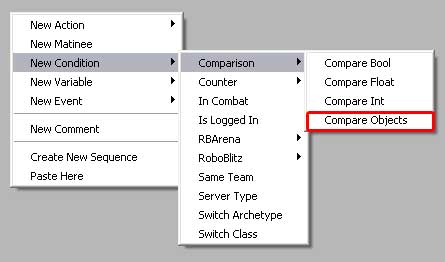
Comparison - Compare Objects


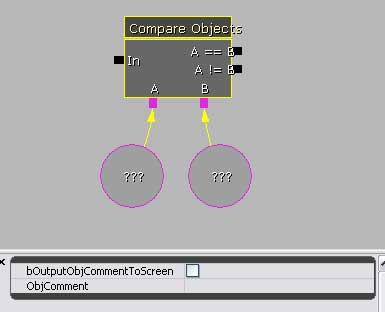
Comparing Objects is simple in that there is only a 'equal' or 'not equal' determination to be made.

• If object A is the same as object B, this means they're equal, and the signal will exit through the == node.

• If object A is not the same as object B, this means they're not equal, and the signal will exit through the != node.

• Note: It is necessary to hold the A & B values in seperate references. There is no place in the Compare Object Action to hold the object information.

• Note: When comparing objects, I don't know what the Kismet is actually comparing - object type, perhaps? If I use two different static meshes, will it give me an == answer because they're both meshes? Or will it give me a != answer because they're both meshes, but the meshes are different?.