...The tutorials and forums about UEd mapping were what taught me the most about using the editor. This is my way of giving back.

If any of the information presented is incorrect, please do contact me at vincennes999@yahoo.com and I will correct it. Please put 'tutorial correction' or something similar in the subject line so I know it's not spam.


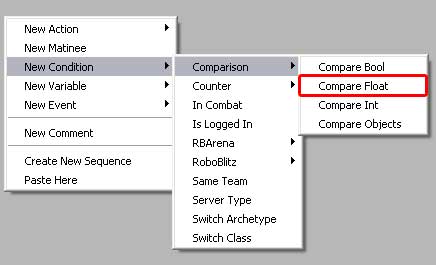
Comparison - Compare Float


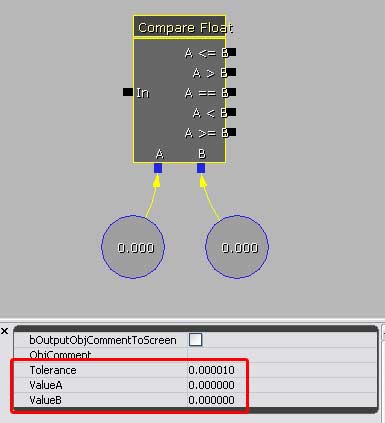
Comparing Floats can be a little more complicated than booleans. As seen in the image below, you have the ability to do several different detections.

• Tolerance: To be honest, I'm not quite sure what this is.

• ValueA: The float value you will compare to ValueB.

• ValueB: The float value you will compare to ValueA.

• Note: It is not necessary to hold the A & B values in seperate references. It is absolutely fine to simply type them in the ValueA and ValueB fields. But sometimes you need them seperate, for example if you are also performing 'set float' actions on them.

The functionality is fairly straightforard. A signal enters the 'In' and the comparison functions are run on the two provided values. The result then exits via the approprate node.

In the image below, let's say ValueA = 1 and ValueB = 2. When a signal enters, it would compare A to B. Since 1 is less than 2, then A is less than B, therefore the signal would leave via the A < B node and the A<=B node.