I have set up a simple test map consisting of a slab of BSP, a
skylight, a playerstart, a skydome, and a directional light.
I will only be using default editor assets which can be found
in the EditorMeshes and EditorMaterials
packages.
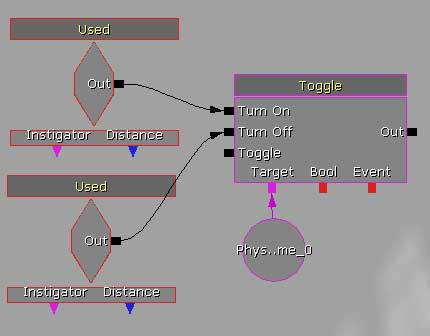
Volumes are fairly simple to deal with in Kismet but there are
some limitations. You can activate/deactivate them - as shown
- using just about anything.
|
|
T here are some important rules to remember.
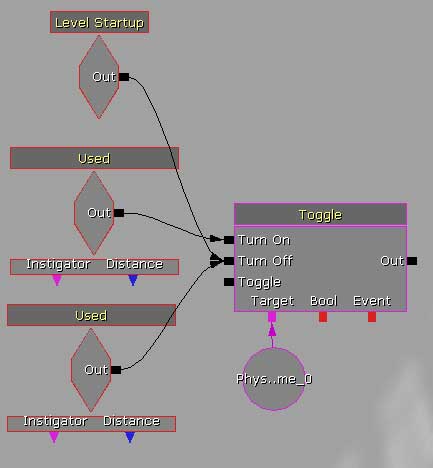
One question to ask yourself is: Is it on or off when the level begins?
Many volumes do not have a 'bEnabled' boolean in their properties.
So if you need the volume to be 'off' when the level starts,
you might need an additional event that will fire at the start
of the map to turn the volume off manually.
|
|
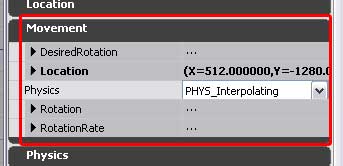
Another property to watch out for is: Can the volume move?
If a volume does not have a 'Movement' property in its settings,
then you cannot move it via matinee, or otherwise.
|
|
So depending on what you want to do to it, check its properties
to see if you can. If it doesn't have a Movement section, you
can't animate it. And check for a 'bEnabled' flag - if it doesn't
have one, you'll probably need to turn it off manually.
|