|
|

|

|
|
*Note:
I created the most of the tutorials using the Roboblitz and
Gears of War editors. Based on the engine, and the version,
some properties specified may be in slightly different locations
than what is displayed in the screenshots.
If you need to learn how to create a basic map I would reccomend:
For UT99, UT2K3 & UT2K4: the Unreal
Wiki.
For UT3: Waylon's
Tutorials. |
|
|
|
|
| 
Ranged Switch
|

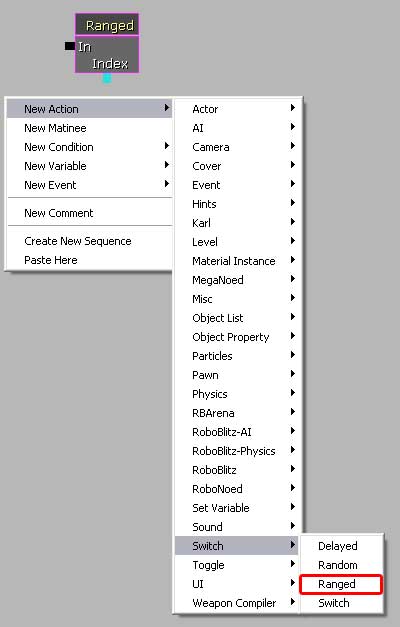
Ranged Switches compare the value of an integer
to a range of values in the ranges field(s).
• The signal enters the switch a value in the integer
object is read, and then compared ot the ranges entered in the
fields. Based on the value, the signal will exit through the
appropriate range specified.
• Ranges are added by clicking the 'Ranges' field and
then clicking on the greenish ball. Multiple ranges, of course,
can be specified.
• The Active Link node is an integer value that keeps
track of which of the links is active as they change. For example,
if Link 3 was the active link, the integer connected to the
Active Link node would have a value of 3.
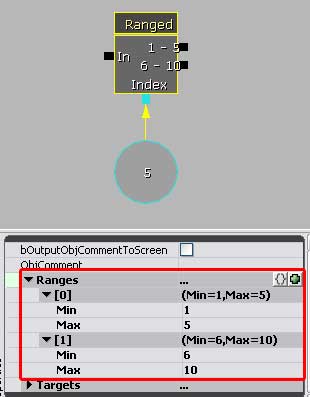
• In the shot below, I've assigned a value of 5 to the
integer object. Based on the two ranges I gave the switch, the
signal would enter the switch, read the '5' in the integer,
and then exit throug the 1 - 5 range output.
|
|
|
|
|







|