...The tutorials and forums about UEd mapping were what taught me the most about using the editor. This is my way of giving back.

If any of the information presented is incorrect, please do contact me at vincennes999@yahoo.com and I will correct it. Please put 'tutorial correction' or something similar in the subject line so I know it's not spam.


Object - ObjectList


Object Lists are used to collapse 'clouds' on numerous object variables representing many actors in a level into a single variable representing the same numerous objects.

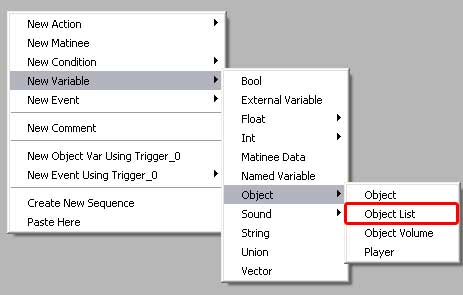
• They can be created from scratch, as shown through the menu.

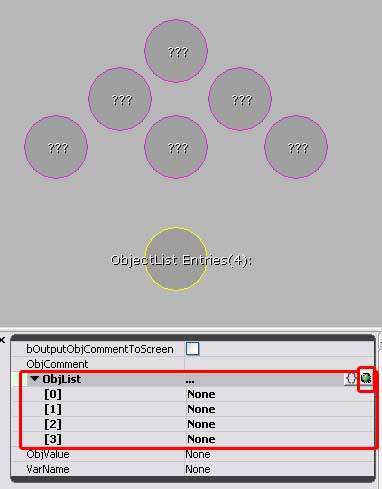
• The objects are then all selected in the level. Then, right-click on the objectList variable, and assign them to it.

• Once they are assigned, you can add/remove them individually by expanding down the ObjList fields and manually editing the contents.

Basically, it turns the cloud of 6 variables pictured, into the one Object List.

• Note: Although with one object variable you can select an actor in the level and 'jump' to its location in kismet, once an object joins an object list, you will no longer be able to 'jump' to its location in Kismet. You'll have to find it the hard way.