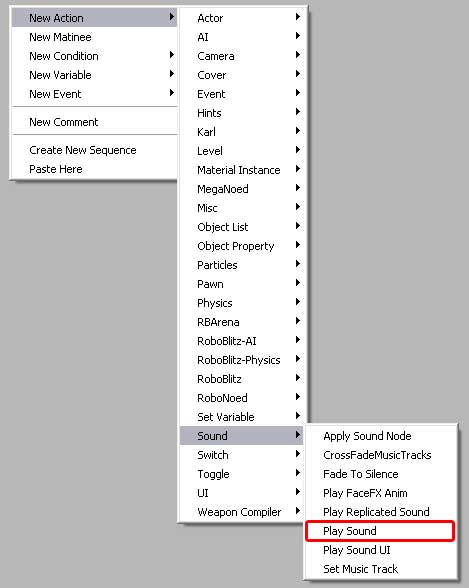
Play Sound is used to play a sound when a signal
enters the action.
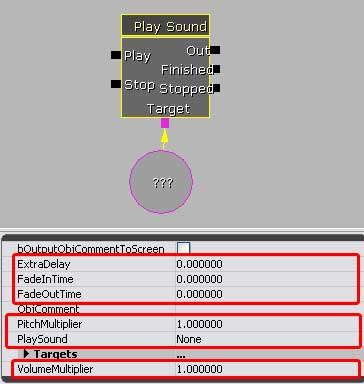
• Play will play the designated sound.
• Stop will stop the sound playing.
• Out will pass the signal on immediately.
• Finish will pass the signal on only after the sound
has ended.
• Stopped will pass the signal on only after the sound
has been 'stopped' by a signal hitting the 'stop' entrance.
|
|
• ExtraDelay will add time before the sound plays and
is measured in seconds.
• Fade In Time will fade the sound in from zero volume
to the sound's volume over this number of seconds.
• Fade Out Time will fade the sound out from the sound's
full volume down to zero over this amount of time, measured
in seconds.
• Pitchmultiplier will change the default pitch of the
sound by the amount entered. 1 = no change. > 1 will be higher,
and < 1 will be lower.
• Play Sound is the field where the actual sound cue is
applied and is selected through the generic browser and entered
here.
• Volume Multiplier will increase or decrease the default
sound volume of the sound selected. 1 = no change. > 1 will
be higher, and < 1 will be lower.
|