|
|

|

|
|
*Note:
I created the most of the tutorials using the Roboblitz and
Gears of War editors. Based on the engine, and the version,
some properties specified may be in slightly different locations
than what is displayed in the screenshots.
If you need to learn how to create a basic map I would reccomend:
For UT99, UT2K3 & UT2K4: the Unreal
Wiki.
For UT3: Waylon's
Tutorials. |
|
|
|
|
| 
Move To Actor (Latent)
|

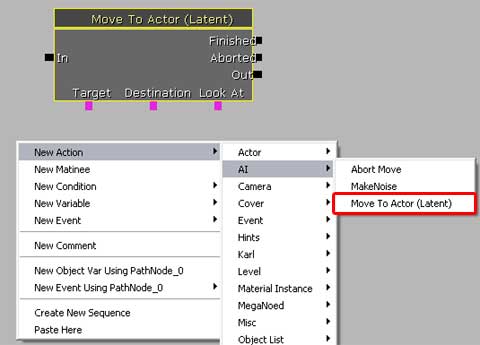
Move To Actor (Latent) will tell an AI pawn
to walk/run to a specific destination while, optionally, looking
at a specific object.
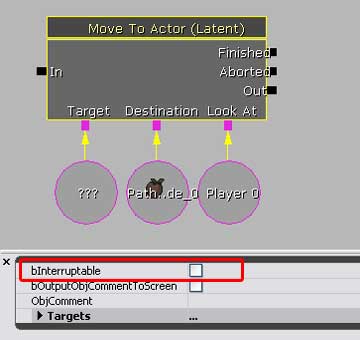
• The Target is the object variable, or reference, representing
the AI Pawn.
• The Destination is self-explanatory.
• The Look At is completely optional and simply defines
something the AI can 'look at' during the move to.
• bInterruptable determines if the move to command can
be 'aborted' or halted. If binterruptable is checked, and, for
example, the AI pawn is in the middle of the move and they see
the player, they will interrupt their move to command and attack
the player, or whatever else they're programmed to do. If bInterruptable
is unchecked, then no matter what happens, the AI pawn will
keep moving until it reaches its destination.
|
|
|
|
|







|